Want to put your roleplay logs online for all to see? It couldn't be easier!
First, create a page for the log, with the name of it as the title.
<createbox> type=createbox preload=Template:Log/Preload buttonlabel=Create Log </createbox>
When you create a page, switch to the source tab to enter the code editing mode:
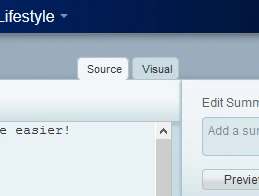
The following template is preloaded into your source window:
{{
Log
| title=
| who=
| location=
| year=
| tp=
| summary=
}}
Overview
- Title will be the name of the log.
- Who is the names of the characters taking part in the roleplay. Put [[Double Brackets]] around them, so they can link back to the character's page. These names are the ONLY thing in this template that need to be linked. Don't link the year or TP name - it will break the template!
- Location is the place where this log happens. You can just slap the room name in here. If you forgot the exact location, just put in the planet.
- Year is the IC year where the RP takes place, so it will be any year from 2005 onwards. If you do not know the IC year, you can use the RL-IC Year Chart or enter 'Unknown Year'
- TP is the name of the TP that the log is part of. If it is not part of a TP, enter 'Non-TP'
- Summary is just a line or two summarizing the scene.
Editing
Now it is time to enter your log! Clean it out, and just paste it all in! Or you can use Don's handy dandy Log Editor. Below are some tips on how to make it look nice!
- Make sure there are spaces between each line. Wiki formatting means that otherwise, the lines will all run into one long string!
- Double space between each character's pose. Logs are long, this will make it easier to read
- Take out all the directions such as <s>. The < tag can play havok with wiki formatting!
- Take out all tabs or spaces before paragraphs. Some people like to indent their poses, but in wikicode this will put a grey box around the sentences!
- Use formatting such as bold tabs to make places and descriptions stand out.
- Alternately, you can encase the whole log between a set of <pre> </pre> tags which will ignore all formatting
So for example, your log code will look like this:
'''Location'''

''It is pretty boring here because this is just a fake description.''


Blueshift says, "Grr I am Blueshift, hear my ponderous pose."


Redshift does not listen to Blueshift, Blueshift is boring. Instead he is looking at wikicode. Since
although two spaces looks a lot, when it goes into wikicode it turns into more like one space.


<Decepticon> Blueshift says, "Grr I am Blueshift, care about me"

<Decepticon> Redshift says, "You can put just one space between channel communication!"
If your RP is part of a TP, you can make a page all about the TP and link to the logs from there. And be sure to link to them from your character page!
Once your log is up, feel free to put links to it on your character's page with your own little summary - OR, use the {{LogGrabber}} template, which automatically collects all of the logs that link to your character.